
Technical Documentation
CTOX daemon, operator surfaces, context loop, and runtime state.
This document explains the CTOX runtime as implemented by the daemon, TUI, Desktop app, channels, command tools, and packed skills: how work enters the loop, where state lives, how context is rebuilt across turns, how CTOX calls its own tools, and how process mining plus the core state model constrain long-running technical work.
Documentation Map
What is covered here
This page is the technical runtime manual. It explains how to install and configure CTOX, how work enters the daemon, how the daemon runs long-lived work, how state is stored, how context is rebuilt, how verification and process evidence work, and how to recover from common failures. The exhaustive command syntax lives in the CLI reference.
Quick Start
From install to first daemon check
The minimal path is: install CTOX on the host that should own the work, configure the runtime in the TUI, start the daemon, and submit one harmless setup check before handing it real work.
curl -fsSL https://raw.githubusercontent.com/metric-space-ai/ctox/main/install.sh | bash
ctox doctor
ctox
ctox start
ctox status
ctox chat "Check this CTOX installation, summarize what is configured, and list the next setup steps before taking on real work."Run CTOX where the technical work should be carried: your workstation, a project server, or a remote ops host.
Open ctox and set model backend, API keys or local runtime, paths, communication, secrets, and update behavior.
ctox start starts the persistent background service. ctox status prints the service snapshot as JSON.
Use ctox chat or TUI chat for a harmless first request. Real tickets, schedules, and channels come after configuration.
Business OS App Development
Build a client app; let Business OS own the data runtime.
A normal Business OS app is an installable HTML, CSS, and JavaScript
module with a declarative collections.schema.json. It
does not need its own CRUD server, REST API, database service,
WebSocket server, or compiled CTOX command handler. The shell gives
the app guarded database handles; CTOX Sync Engine supplies local
IndexedDB, recovery, WebRTC replication to native SQLite, reconnect,
multi-tab coordination, and permission-filtered multiuser updates.
module.json, collection schemas, HTML, ESM, CSS, and locales are enough for an ordinary data app.
Local writes are journaled and synchronized automatically. Realtime does not mean public: native grants decide who can read or write.
Snapshot queries use exec(); subscriptions through query.$ update the UI after local or authorized remote changes.
Runtime schemas and bounded declarative actions load from app packages. Every app action uses the generic ctox.app.action.run executor.
Minimal app package
my-app/
  module.json
  collections.schema.json
  schema.js
  index.html
  index.js
  index.css
  locales/de.json
  locales/en.json
For local/private development, place the package under
runtime/business-os/local-modules/my-app/. The runtime
discovers it and connects declared collections to the Business OS
data plane. Validate it without compiling CTOX:
node src/apps/business-os/scripts/validate-app-module.mjs my-app --localRead, write, and react
export async function mount(ctx) {
  const records = ctx.db.collection('my_app_records');

  await records.insert({
    id: crypto.randomUUID(),
    title: 'First record',
    updated_at_ms: Date.now()
  });

  const subscription = records
    .find({ selector: {}, sort: [{ updated_at_ms: 'desc' }] })
    .$.subscribe((documents) => render(documents));

  return () => subscription.unsubscribe();
}
App code must not import upstream RxDB and must not create an HTTP
data fallback. Use ctx.db for ordinary local-first CRUD.
Use ctx.actions for declarative server-authoritative or
multi-collection work, and ctx.commandBus for delegated
agent work and existing privileged capabilities.
Actions without compiling a new backend API
The runtime separates three levels: direct client CRUD as the default, runtime-registered declarative mutations/Sagas for authoritative business actions, and explicitly reviewed privileged extensions for host or external-system access. A new app-specific action name must not require adding a Rust match arm. Declarative actions are constrained by input schemas, exact permissions, idempotency, audit, and bounded effect primitives; they are not a vehicle for browser-supplied SQL or shell commands.
const receipt = await ctx.actions.run('approve', {
  record_id: selected.id
}, {
  idempotencyKey: `approve:${selected.id}`,
  until: 'terminal'
});

ctx.actions.subscribe(receipt.command_id, renderActionStatus);
ctox business-os app runtime inspect my-app --json
ctox business-os app runtime reconcile my-app --apply
ctox business-os app access grant my-app \
--subject user-42 --permission data.write \
--collection my_app_records --reason "Release review"Runtime reconciliation is an in-process supervised peer change; it does not rebuild CTOX or require a manual daemon restart. Access changes pass through native policy, approval, and audit controls.
Runtime actions are data-only: read/assert, insert/upsert, patch, tombstone/delete, and ordered Sagas with reverse compensation. SQL, shell commands, host paths, arbitrary networking, and browser-supplied executable steps are rejected. External effects remain reviewed adapters or sandboxed extensions.
The complete package contract, schema example, multiuser semantics, offline/recovery rules, and definition of done live in Developing Business OS Apps.
Installation
Install layout and update model
The installer creates a managed install layout by default:
installation files under ~/.local/lib/ctox, runtime
state under ~/.local/state/ctox, cache files under
~/.cache/ctox, and command symlinks under
~/.local/bin. First-time users normally should not
pass flags; install CTOX first, then configure model source, API
keys, local inference, autonomy, and communication in the TUI.
First-install overrides
| Installer flag | When to use it |
|---|---|
--backend=<cuda|metal|cpu> |
Force local inference backend only when auto-detection is wrong or CPU fallback is intentional. cuda is for NVIDIA Linux hosts; metal is for Apple Silicon macOS. |
--model=<model> |
Seed the default local model profile. This is not required for API usage and can be changed later in the TUI. |
Advanced installer options
| Installer flag | What it changes |
|---|---|
--install-root=<path> |
Where the managed CTOX installation is stored. Use this for nonstandard filesystem layouts or multiple installs on one host. |
--state-root=<path> |
Where runtime state is stored, including the SQLite database. Use this when state must live on a specific volume or service account path. |
--cache-root=<path> |
Where downloaded models and cache files are stored. Use this when the default home cache does not have enough disk space. |
--bin-dir=<path> |
Where the ctox command symlink is placed. Use this if ~/.local/bin is not on PATH. |
--repo, --branch, --rebuild |
Development and controlled-rollout options for forks, non-default branches, or rebuilds. Normal users should not need them. |
Updates and rollback
ctox update status
ctox update check
ctox upgrade --stable
ctox update apply --version <tag>
ctox update rollback
Managed installs keep release state in the install and state roots.
ctox update status is the first command to run when the
active binary, release slot, or rollback state is unclear.
Configuration
Runtime, model, context, communication, and paths
Most configuration should be done in the TUI. CTOX persists runtime settings in its own state. The important split is model source: either API-backed models through stored provider keys, or local inference through the integrated runtime.
API model example
printf '%s\n' "sk-..." | ctox secret put --scope credentials --name OPENAI_API_KEY --value-stdin
ctox

# In TUI Settings:
# Chat Source: api
# API Provider: openai
# Chat Model: gpt-5.4-mini

ctox start
ctox chat "Check this CTOX installation and confirm that the API model is reachable."
The API key can also be entered directly in the TUI. Do not use global shell exports for normal CTOX configuration.
CUDA 27B local example
curl -fsSL https://raw.githubusercontent.com/metric-space-ai/ctox/main/install.sh \
  | bash -s -- --backend=cuda --model=Qwen/Qwen3.6-27B

ctox

# In TUI Settings:
# Chat Source: local
# Local Runtime: candle
# Chat Model: Qwen/Qwen3.6-27B

ctox doctor
ctox runtime switch Qwen/Qwen3.6-27B quality --context 256k
The 27B local example is for a Linux host with NVIDIA CUDA and the
required local model artifacts. If CUDA, weights, or runtime files
are missing, check ctox doctor and the TUI before
assigning real work.
| TUI setting | Typical values | Purpose |
|---|---|---|
| Chat source | local, api |
Select local integrated inference or API model execution. |
| API provider | openai, anthropic, openrouter, minimax |
Provider used when the chat source is set to api. |
| Provider credential | Provider credentials | Keys are configured through the TUI or CTOX secret store, not global shell exports. |
| Local runtime | candle |
Local inference runtime selection. |
| Chat model | Local or API model id | Active chat model. API examples include gpt-5.4, gpt-5.4-mini, anthropic/claude-sonnet-4.6, and MiniMax profiles supported by the build. |
| Context window | 262144 / 256k |
Supported chat context window for prompt assembly and runtime planning. |
| Skill and runtime preset | Standard, Simple, Quality, Performance |
Skill loading and local runtime performance profile. |
| Autonomy level | progressive, balanced, defensive |
Controls how aggressively CTOX can continue, approve low-risk operations, and ask for confirmation. |
ctox runtime switch gpt-5.4 quality --context 256k --timeout 1800
ctox runtime switch Qwen/Qwen3.6-27B quality --context 256k
A configured model backend is necessary, but it is not the core CTOX concept. The daemon, runtime state, work queue, context builder, verification, and process evidence are what make CTOX more than an interactive model session.
Work Intake
How you give CTOX work
CTOX is not normally operated by manually calling every internal command. You give it work through an operator surface, a direct chat submission, an external channel, or a ticket/schedule. The daemon turns that input into durable runtime state before a worker run starts.
ctox or ctox tui, type the request, configure model/channel settings, and watch active work.
ctox chat for scripts, terminals, and automation that submit one concrete instruction to the running daemon.
Simple terminal submission
ctox start
ctox chat "Take ownership of OPS-204. Prepare the payment-callback rollout, wait for approval and the maintenance window, deploy when allowed, verify checkout and webhook replay, and keep the ticket updated."
This is the normal minimal form. The prompt is handed to the running daemon, stored as runtime work, and processed by the mission loop.
Optional flags for scripts and controlled runs
ctox chat "Resume OPS-204 and verify the rollout gates." --wait
ctox chat "Resume OPS-204 and verify the rollout gates." --thread-key ops/OPS-204
ctox chat "Resume OPS-204 and verify the rollout gates." --workspace /srv/checkout
--wait blocks until the leased worker run finishes.
--thread-key is useful when a script wants to attach
work to an explicit durable thread. --workspace
overrides the working directory for that run. They are not required
for a first manual request.
Channel and ticket intake
# channel-oriented operation
ctox channel sync --channel email
ctox channel context --thread-key email/customer-ops-204

# ticket-oriented operation
ctox ticket sync --system local
ctox ticket dry-run --ticket-key OPS-204
ctox ticket cases --ticket-key OPS-204
ctox ticket execute --case-id case-123 --summary "rolled out after approval"
The direct commands are useful for operators and tests, but the normal CTOX flow is: input enters through a surface, the daemon records it, the worker receives assembled context, and the result is written back into the same runtime state.
TUI
The local operator console
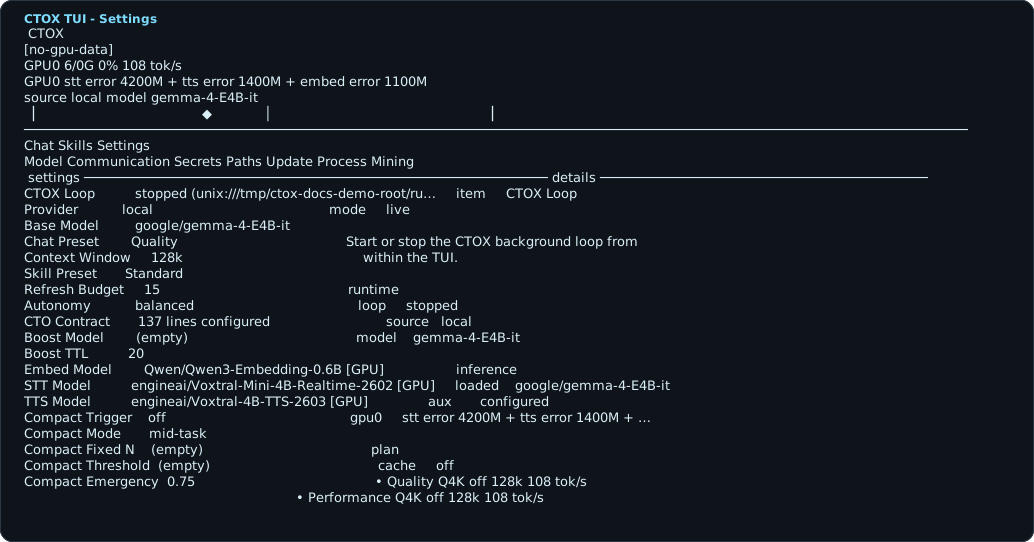
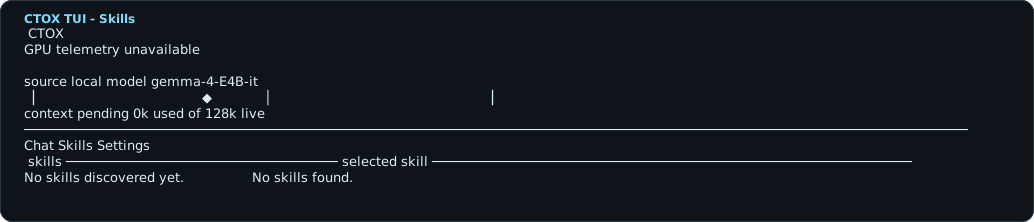
The TUI is the fastest way to operate a local CTOX instance. It has a chat composer for new work, a live view of daemon state and queued drafts, a skills view, and settings for model backend, communication paths, secrets, install paths, updates, and process-mining checks.
ctox
ctox tui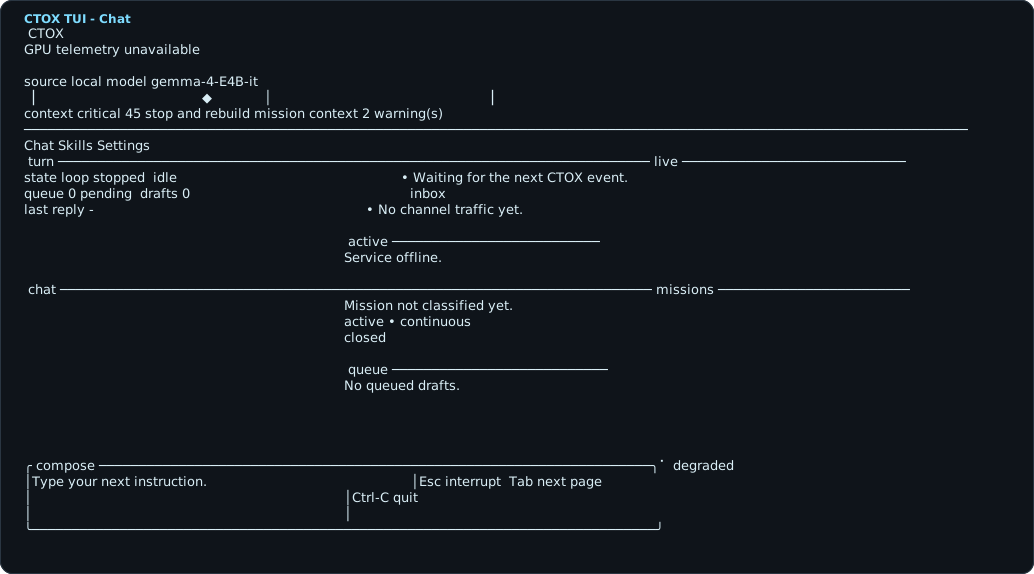
Desktop App
Manage local and remote CTOX instances
The Desktop app is an optional management surface. It is not the core product boundary; the daemon is. The Desktop app exists to make installation, remote attachment, and multi-instance operation easier when you run CTOX on your own machine, a server, or several hosts.
Create or attach a local CTOX install, launch the TUI, start and stop the daemon, and run configured commands.
Register an already installed remote CTOX instance and open its operator surface through the Desktop app.
Use SSH host details to provision a remote install, then keep it in the same instance registry as local installations.
Keep multiple CTOX instances visible at once, including local and remote targets, instead of treating every host as a separate manual terminal workflow.
The Desktop app can be the easiest installation path. After the instance exists, the same daemon, TUI, SQLite state, channels, tickets, schedules, process mining, and worker context loop are used.
Daemon Service
How the persistent loop is operated
ctox start starts the background loop. On managed
installs the generated user service runs ctox service
--foreground with CTOX_ROOT and
CTOX_STATE_ROOT set to the resolved install layout. The
service restarts on failure and owns queue leases, channel sync,
schedules, mission watching, backend supervision, and continuation
decisions.
ctox start
ctox status
ctox stop
# direct foreground mode for debugging
ctox service --foreground --autonomy balanced| State | Meaning | Operator action |
|---|---|---|
| Stopped | No persistent loop is running. TUI and direct commands still work, but queued work will not be processed by the daemon. | Run ctox start or debug with ctox service --foreground. |
| Idle | The daemon is alive and waiting for queue work, channel messages, due schedules, or follow-ups. | Submit work, sync tickets/channels, or inspect queue state. |
| Leased/running | A worker run owns an item temporarily. The durable lease protects against duplicate execution. | Wait, inspect status, or investigate stale leases with queue/process commands. |
| Blocked/waiting | Work cannot continue because approval, access, time, external response, or evidence is missing. | Resolve the blocker, release queue work, approve a case, or let the scheduled follow-up resume it. |
Runtime
System overview
CTOX is a persistent runtime around bounded agent execution. The daemon owns the durable work state. Agents and local tools execute bounded execution runs, then CTOX records what changed and decides whether to close, verify, requeue, block, schedule, or continue.
ctox start
  -> service process
  -> runtime/ctox.sqlite3
  -> channel router + syncer
  -> mission watcher + operating watcher
  -> backend supervisor
-> queue / ticket / schedule / channel workRuns the service loop, owns leases, watches channels and schedules, dispatches work, and supervises the execution backend.
runtime/ctox.sqlite3 stores mission-side state and LCM-side state in one consolidated database.
Every important subsystem has a command group. Humans and agents use the same surface to inspect or mutate state.
The agent run is a bounded worker execution. CTOX handles the state before and after that run.
CTOX can use API-backed models or its integrated inference engine with curated local model profiles.
The active model/runtime is configured through the TUI or with ctox runtime switch when operating directly.
Runtime Layout
Files and state boundaries
CTOX separates repository files from runtime state. The main runtime
database is resolved through the centralized path helpers and can be
moved with CTOX_STATE_ROOT.
| Path | Purpose |
|---|---|
runtime/ctox.sqlite3 |
Consolidated core state: queue, tickets, governance, secrets, channels, schedules, plans, knowledge, LCM messages, continuity, mission state, verification, and claims. |
runtime/backup/ |
Backup location used by migrations from legacy runtime databases. |
runtime/ticket_local.db |
Tool-owned store for the local ticket adapter. It remains separate by design. |
runtime/ctox_scraping.db |
Tool-owned store for durable scraping capability data. |
runtime/context-log.jsonl |
Turn and token forensics written by execution paths that emit direct session context logs. |
Older internal notes may mention a former database filename. The
current consolidated core state file is runtime/ctox.sqlite3.
Core database areas
The database is not one monolithic transcript. It contains separate areas for communication, queue routing, schedules, tickets, knowledge, continuity, governance, process evidence, and command ledgers.
| Area | Representative tables | Purpose |
|---|---|---|
| Communication | communication_accounts, communication_threads, communication_messages, communication_routing_state |
Channel messages, routing state, and owner communication history. |
| Tickets | ticket_items, ticket_events, ticket_cases, ticket_verifications, ticket_writebacks |
Mirrored tickets, execution cases, approvals, verifications, and writebacks. |
| Knowledge | knowledge_main_skills, knowledge_runbooks, ticket_knowledge_entries, ticket_knowledge_loads |
Learned runbooks, source skills, and ticket-derived durable knowledge. |
| Schedules | scheduled_tasks, scheduled_task_runs |
Recurring or deferred work that emits queue items when due. |
| Governance | governance_mechanisms, governance_events |
Policies and recorded governance decisions around runtime behavior. |
| Process mining | ctox_process_events, ctox_process_context, ctox_pm_case_events, ctox_core_transition_proofs |
Mutation events, process projections, transition proofs, and conformance checks. |
| Turn ledger | ctox_turns, ctox_turn_commands, ctox_turn_violations |
Command-level trace of CLI and worker turns. |
CLI Reference
Command groups
CTOX commands are grouped by subsystem. Use ctox
without arguments to open the TUI; use explicit commands when
scripting, debugging, or letting the daemon inspect its own state.
This section is only the architectural overview. The structured command reference with syntax conventions, ID meanings, flags, lifecycle examples, and the source-derived command inventory lives in the dedicated CLI reference.
In normal operation, you do not drive CTOX by typing most of these
commands yourself. They are the daemon's tool surface: CTOX calls
them to inspect queues, tickets, context, verification, process
state, and transition health. Humans usually use the TUI, Desktop,
or ctox chat; direct CLI calls are for operations,
debugging, automation, and controlled recovery.
| Group | Commands | Use |
|---|---|---|
| Everyday | ctox start, stop, status, chat, tui, version |
Start the daemon, submit direct prompts, inspect service state, or open the TUI. |
| Runtime | ctox runtime switch <model> <quality|performance> |
Select an API-backed model or a curated local inference profile for the execution backend. |
| Update | ctox upgrade, update check, update apply, update rollback, update status |
Move between release slots, source checkouts, and rollback points. |
| Queue | ctox queue add, list, show, block, release, complete, spill, repair |
Manage short-term executable work and recovery from stuck queue state. |
| Tickets | ctox ticket sync, list, show, dry-run, approve, execute, verify, close, audit |
Integrate external or local ticket systems, execute cases, write back results, and capture learnings. |
| Plans and schedules | ctox plan ingest, emit-next, complete-step, schedule add, schedule tick, follow-up evaluate |
Represent multi-step work, recurring work, and blocked or deferred continuations. |
| Communication | ctox channel sync, take, ack, send, history, search, context |
Bring messages into the same durable work loop as tickets and scheduled work. |
| Governance and verification | ctox governance snapshot, verification assurance, verification claim-set, state-invariants |
Inspect policy, claims, closure-blocking evidence, and state consistency. |
| Context | ctox lcm-init, lcm-add-message, lcm-compact, lcm-grep, continuity-show, continuity-apply, context-health, context-retrieve |
Inspect or repair long-context memory, continuity documents, and retrieval. |
| Process mining | ctox process-mining events, cases, dfg, core-liveness, state-scan, assert-clean, violations |
Analyze what actually happened in the runtime database and validate it against the declarative core state machine. |
| Harness mining | ctox harness-mining stuck-cases, variants, sojourn, conformance, alignment, causal, drift, multiperspective |
Forensic + conformance mining of the agent harness against the declarative state machine (Tier 1 + Tier 2). |
| Secrets and turns | ctox secret put, secret intake, turn status, turn end |
Store credentials deliberately and close CLI command ledgers with explicit status. |
Work Lifecycle
How work moves through CTOX
CTOX does not treat all work as a single prompt. It chooses the right state carrier depending on timing, approval, evidence, and ownership. The same mission can move through chat, queue, ticket, schedule, verification, and process-mining state.
operator/channel/ticket/schedule
  -> queue item or ticket case
  -> leased worker run
  -> context build from runtime state
  -> execution + CTOX CLI self-inspection
  -> verification and writeback
-> complete, blocked, waiting, scheduled, or requeued| Situation | State carrier | Why |
|---|---|---|
| One immediate operator request | ctox chat or TUI chat |
Fastest way to create durable work from a human instruction. |
| More work arrives than can be handled now | Queue item | Queue state gives priority, status, leases, blockers, and repair operations. |
| Work needs approval, audit, or external writeback | Ticket case | Ticket state separates dry-run understanding, approval, execution, verification, writeback, learning, and close. |
| Work depends on time or an external window | Schedule or follow-up | The daemon can resume later without relying on an open chat session. |
| Work has multiple coordinated steps | Plan goal and steps | Plans emit the next executable step while preserving the larger goal state. |
| Work should not close without evidence | Verification, claims, process events | Closure can be checked against runtime evidence rather than model prose. |
Ticket case lifecycle
ctox ticket show --ticket-key OPS-204
ctox ticket dry-run --ticket-key OPS-204 --understanding "rollout requires approval and maintenance window"
ctox ticket approve --case-id case-123 --status approved
ctox ticket execute --case-id case-123 --summary "deployed payment callback fix"
ctox ticket verify --case-id case-123 --status passed --summary "checkout and webhook gates passed"
ctox ticket writeback-comment --case-id case-123 --body "Deployed and verified."
ctox ticket close --case-id case-123 --summary "OPS-204 closed with evidence"
The names are intentionally explicit: ticket-key refers
to the external or local ticket. case-id refers to the
CTOX execution case created from that ticket. The CLI reference
documents these ID types in detail.
Persistent Mission Loop
The loop is the product boundary
A single agent turn is not the unit of ownership. CTOX treats a turn as one run inside a durable control loop. The loop continues while the service is running and while durable state says there is work to process, verify, wait on, repair, or resume.
1. Intake
   TUI chat, email/Jami/WebRTC thread, scheduled task, ticket sync, plan step, direct CLI

2. Lease
   select executable work from SQLite and mark it leased/running

3. Context build
   stable system contract + freshly rebuilt marked runtime context
   + exactly one current user request

4. Worker turn
   agent uses shell/browser/files and, when needed, calls ctox CLI commands itself

5. Persist result
   message, event, command ledger row, continuity commit, claim, ticket update,
   verification run, knowledge entry, queue item, schedule, or blocker

6. Decide next state
   close, verify, requeue, block, wait, schedule, repair, escalate, or continue
The loop survives a finished chat turn because the queue, tickets, schedules, continuity, claims, and process events live outside the model context. Normal worker slices also reuse one named durable harness thread, whose rollout is resumed after a service restart. SQLite remains authoritative: session history preserves execution detail, but never decides whether work is complete.
runtime/ctox.sqlite3 hold prompt, priority, thread key, workspace root, lease status, and parent work.
Context Build
How CTOX builds context across turns
CTOX does not preserve continuity by appending every previous token to the next prompt. It builds a new working context from durable sources, projects it into a persistent harness session, and lets the bounded worker turn operate inside the model context window.
Physical model-input lanes
Identity, operating rules, tools, and capability boundaries are installed for the thread. A model or base-instruction contract change rebuilds the process-local session before reuse.
One marked developer section is rebuilt on every turn. Before a model request, older marked CTOX sections are removed from the request projection.
The exact current task is sent once as the user message, without a generated “current request” wrapper or duplicate copy inside runtime context.
Real user, assistant, reasoning, and tool-call history remains resumable rollout history. Compaction bounds model-visible detail without making the rollout the completion authority.
The system-level contract describes the role, host boundaries, tool behavior, and governance expectations.
The active queue task, ticket case, schedule emission, plan step, or channel message defines the immediate task.
Focus holds active status and next step. Anchors hold durable facts. Narrative compresses prior turns into usable history.
Known failures, decisions, runbooks, source skills, and ticket learnings are retrieved when relevant.
Claims, done gates, evidence, and closure-blocking checks shape what can be considered finished.
Channel history, process events, queue notes, and ticket history provide recent operational context.
Example: assembled multi-turn worker prompt
A CTOX worker run is not started from a single chat message. CTOX combines stable thread instructions, one dynamically selected runtime-context section, one current user message, and retained thread history. Runtime blocks are selected from SQLite; they are not all appended by default. The example below is a readable combined view of those physical lanes. It is synthetic and is not copied from a real project, host, ticket, or database.
model_input =
  stable_system_contract
  + latest_marked_runtime_context(
      mandatory: focus + execution_contract,
      conditional: evidence, strategy, anchors, workflow, narrative,
                   governance, autonomy, health, conversation_evidence
    )
  + current_user_request_once
+ compacted_real_thread_historySYSTEM CONTRACT
You are CTOX, a persistent technical daemon. Work on the current mission
across turns. Prefer verified evidence over memory. If work remains open,
persist the next step in CTOX runtime state; prose alone does not count.
EXAMPLE CONTEXT SOURCE
scenario: synthetic payment callback rollout
source blocks: ticket case + queue item + Focus + Anchors + Narrative +
workflow state + recent turns + verification evidence
LATEST TASK
Scheduled follow-up fired after the payment provider maintenance window ended.
Mission: Roll out the payment callback fix and verify the checkout pipeline.
State: active
Mode: continuous
Intensity: hot
Blocker: provider maintenance is over; production approval is present.
Next step: deploy the callback fix, replay one provider webhook, run checkout
smoke tests, verify alerts, and update the ticket.
Task is complete only when: checkout returns a live payment URL, webhook replay
is accepted once, backup verification is current, and the ticket contains the
deploy marker plus evidence links.
FOCUS
Mission state: active
Continuation mode: continuous
Trigger intensity: hot
Next step: run production rollout and verification for the payment callback fix.
Done gate: live checkout, webhook replay, backup probe, alert check, ticket
writeback, and continuity update all passed.
Closure confidence: low
ANCHORS
- Do not deploy payment changes without ticket approval.
- Roll back if checkout success rate drops or webhook replay is rejected twice.
- Do not close from a verbal claim; close only from runtime and ticket evidence.
- Required gate: live checkout returns 200 and contains a non-empty payment URL.
- Required gate: provider webhook replay is accepted exactly once.
- Required gate: nightly backup verification is current before production close.
NARRATIVE
- Turn 1: operator asked CTOX to ship a payment callback fix, but provider
maintenance was active and production approval was missing.
- Turn 2: CTOX validated staging, wrote the waiting state into Focus, and left
one durable follow-up instead of keeping the work in chat.
- Turn 3: while waiting, backup verification became due; CTOX ran the probe,
fixed retention config, and linked the backup evidence to the rollout ticket.
- Turn 4: ticket approval arrived and the maintenance window ended; CTOX resumed
the rollout from durable state.
WORKFLOW STATE
- ticket OPS-204: approved, assigned to CTOX, production writeback required.
- linked ticket OPS-199: backup verification fixed and passed.
- active queue item: deploy payment callback fix and verify production gates.
- plan progress: 4 of 6 steps complete; current step is production verification.
- schedule: retry window opened after provider maintenance ended.
RECENT MULTI-TURN CONVERSATION
operator: Ship the payment callback fix, but wait for provider maintenance and
ticket approval before touching production.
ctox: Staging is green. I recorded the approval blocker and scheduled a retry.
scheduler: Provider maintenance window ended.
ticket: OPS-204 approval granted. Production rollout may proceed.
ctox: Resuming from Focus. I will deploy, replay one webhook, run checkout
smoke tests, verify backups and alerts, then write evidence back to the ticket.
PROCESS EVIDENCE
ctox ticket show --ticket-key OPS-204
ctox queue show --message-key queue-payment-rollout
ctox verification claim-set --conversation-id conv-ops-204 --kind rollout_gate --status verified --subject checkout-live --summary "checkout returned a payment URL" --evidence "smoke log: checkout-live-204"
ctox verification claim-set --conversation-id conv-ops-204 --kind rollout_gate --status verified --subject webhook-replay --summary "provider replay accepted once" --evidence "provider event replay-8891"
ctox process-mining explain-case case-OPS-204 --limit 50
WORKER INSTRUCTION
Use the blocks above as the current working state. Deploy only if the approval
anchor still holds. Run the production checks, persist evidence, update Focus
and Narrative, write the result to OPS-204, and close the mission only after all
done gates pass.Compaction and continuation
CTOX does not have an infinite prompt. It has a persistent loop plus two different context mechanisms. The CTOX LCM layer stores raw messages, summaries, summary links, ordered context items, and continuity documents in SQLite. The harness layer can also compact the active model session when model token usage crosses the model's auto-compact limit or when a run switches to a smaller context window.
The CTOX LCM compaction path is explicit: it counts the current
context tokens, compares them with a threshold derived from the
token budget, creates leaf summaries for older material, can create
condensed summaries over summary trees, resequences
context_items, and keeps fresh tail messages available.
The public point is not "nothing is ever removed from the prompt".
The point is that important state is promoted into the right
durable structure before temporary prompt material can be compressed.
Context selection is contribution-based. Verified evidence, strategy, anchors, workflow state, narrative, governance, autonomy, health, and conversation evidence are omitted when they carry no applicable signal. Focus and the execution contract remain present. Conversation evidence is ranked by overlap with the current request before recency and remains bounded by item and character limits.
ctox lcm-compact <db-path> <conversation-id> [token-budget] [--force]
ctox lcm-grep <db-path> <conversation-id> <query>
ctox lcm-expand <db-path> <summary-id> [depth] [--messages] [token-cap]
ctox continuity-show <db-path> <conversation-id> [narrative|anchors|focus]
ctox continuity-update --conversation-id <conversation-id> --kind focus --mode full
In this example, compaction is not the interesting part. The important behavior is that CTOX can drop temporary prompt material later because the mission status, approval boundary, retry window, done gates, ticket state, and verification evidence were promoted into durable runtime state.
Self-Inspection
CTOX calls CTOX through CLI tools
CTOX exposes its control plane through CLI commands. The agent can call those commands as tools, which means self-inspection and state changes go through the same interface a human operator would use. That creates an auditable process surface instead of hidden prompt assumptions.
# inspect active work
ctox status
ctox queue list --status pending --status leased --limit 20
ctox ticket cases --limit 20

# verify process health before closing work
ctox state-invariants
ctox process-mining assert-clean
ctox verification assurance

# record the outcome through the runtime surface
ctox ticket verify --case-id case-123 --status passed --summary "smoke tests passed"
ctox queue complete --message-key queue-123 --note "deployed and verified"
The important property is not that an LLM says it followed a process. The important property is that the process has commands, persisted events, transition checks, and queryable evidence.
Skills & Tools
Installed system skills, packed skills, and utility tools
Skills are not marketing categories. They are runtime instructions
that tell CTOX how to perform recurring classes of work. System
skills are part of the CTOX operating layer. Packed skills are
bundled capabilities that can be installed or exposed for concrete
domains such as deployment, testing, documents, integrations, or
security. Utility tools are code packages under tools/
that provide supporting runtimes or adapters.
System skills
applicant-interview, communication-context, interactive-browser, meeting-participant, owner-communication, universal-scrapingacceptance-verification, change-lifecycle, incident-response, ops-insight, recovery-assurance, reliability-ops, service-deploymentdiscovery-graph, skillbook-runbook-bootstrap, system-onboarding, tabular-knowledge-bootstrap, ticket-dataset-knowledge-bootstrap, ticket-operating-model-bootstrapautomation-engineering, follow-up-orchestrator, plan-orchestrator, queue-cleanup, queue-orchestratorprocess-mining-diagnosticsexternal-reviewprivilege-escalation, secret-hygiene, secret-management, security-posturecanonical-delivery-template, canonical-ops-template, dataset-skill-creator, self-improving-review, skill-creator, skill-installer, skill-lifecycle, skill-updaterticket-access-and-secrets, ticket-knowledge, ticket-knowledge-maintenance, ticket-monitoring-ingestPacked skills
doc, imagegen, pdf, screenshot, slides, sora, speech, spreadsheet, transcribecloudflare-deploy, netlify-deploy, render-deploy, vercel-deployfigma, figma-implement-designaspnet-core, chatgpt-apps, develop-web-game, frontend-skill, jupyter-notebook, winui-appgh-address-comments, gh-fix-ci, yeetlinear, notion-knowledge-capture, notion-meeting-intelligence, notion-research-documentation, notion-spec-to-implementation, sentryopenai-docssecurity-best-practices, security-ownership-map, security-threat-modelplaywright, playwright-interactivezammad-printengine-monitoring-sim, zammad-restUtility tool packages
| Tool package | Role |
|---|---|
tools/agent-runtime |
Auxiliary agent runtime code used by CTOX-owned execution paths. |
tools/doc-stack |
Document-processing support stack. |
tools/google-fetch |
Google-facing fetch adapter code. |
tools/pdf-parse |
PDF parsing utility package. |
tools/speaches-runtime |
Speech runtime support package. |
tools/web-stack |
Web automation and browsing support stack. |
Verification
How CTOX decides work is actually done
CTOX should not close long-running technical work because a worker produced a confident summary. Closure is based on done gates, claims, verification records, ticket writeback, process state, and continuity updates. The exact checks depend on the mission, but the pattern is consistent: define the gate, collect evidence, write it into runtime state, then close.
Concrete conditions such as deploy marker present, endpoint returns 200, webhook replay accepted, backup current, tests passed, or owner approved.
Structured statements about what changed, what was verified, and what remains open.
Runtime commands record assurance, claim sets, and gate results so they can be inspected later.
Process mining reconstructs event sequences and highlights illegal or incomplete transitions.
ctox verification assurance
ctox verification claims --conversation-id 1 --limit 20
ctox state-invariants
ctox process-mining assert-clean --limit 100
ctox process-mining case <case-id> --limit 200
A mission can still be wrong even if the state model is clean. The state model constrains CTOX's process; the mission still needs domain-specific evidence such as tests, production checks, logs, monitoring, or ticket approval.
State Model
Formal transitions and graph checks
The core state machine protects runtime behavior that should not be left to prompt discipline: founder communication, deadlines, queue repair, ticket closure, review gates, and knowledge capture.
| Concept | Implementation |
|---|---|
| Entity types | Service, Mission, Context, QueueItem, WorkItem, Ticket, Review, FounderCommunication, Commitment, Schedule, Knowledge, Repair. |
| Runtime lanes | P0 founder communication, P0 commitment backing, P1 runtime safety, P1 queue repair, P2 mission delivery, P3 housekeeping. |
| Transition request | Entity, entity id, lane, from-state, to-state, event, actor, evidence refs, and metadata. |
| Transition guard | Validates allowed transitions and domain rules, then persists accepted or rejected proofs in ctox_core_transition_proofs. |
| Graph checks | Liveness analysis checks start-state reachability, nonterminal dead ends, and whether states can reach terminal states. |
ctox process-mining core-liveness
ctox process-mining proofs --limit 20
ctox process-mining state-audit --limit 50
The state model does not prove that an implementation is correct or that a deployment is healthy. It constrains the CTOX runtime process: illegal transitions can be rejected, suspicious paths can be found, and closure can require durable evidence.
Harness Liveness
Bounded review, spawning, and subagents
The harness treats review as a checkpoint owned by the parent task, not as an independent work producer. A reviewer may return wording, substantive, or stale findings, but the main agent remains responsible for applying the feedback and continuing through the state machine.
Rejected review needs a witness of progress before the same artifact can re-enter the same edge: changed body hash for wording, changed substance/evidence for substantive findings, or refreshed world/queue state for stale findings.
Durable child work must be registered as a parent-child process edge with stable entity types, a finite budget, a maximum bound, and a non-spawning intervention skill.
Subagents are bounded leaf workers. They do not receive recursive collaboration tools or spawn_agents_on_csv; agent-job workers keep only report_agent_job_result.
ctox process-mining spawn-liveness checks the core spawn contracts and harness subagent liveness model. CI and release workflows block when it fails.
ctox process-mining spawn-liveness
The proof is a repository-conformance and release-safety gate, not a
build.rs compile-time type check. It runs in tests, CI,
and the release workflow so broken harness topology cannot be
packaged.
Process Mining
Reconstruct what happened
Process mining records SQLite mutation events and projects them into cases, activities, directly-follows graphs, Petri nets, replay results, conformance runs, state scans, and violation reports. This turns runtime behavior into data that can be audited after the fact.
Inspect events and cases
ctox process-mining ensure
ctox process-mining events --limit 25
ctox process-mining cases --limit 20
ctox process-mining explain-case case-123 --limit 50
Surface harness drift
ctox harness-mining stuck-cases
ctox harness-mining variants --cluster
ctox harness-mining sojourn
ctox harness-mining conformance
ctox harness-mining alignment
ctox harness-mining causal
ctox harness-mining drift
ctox harness-mining multiperspective
Audit state and coverage
ctox process-mining scan-violations
ctox process-mining violations --limit 20
ctox process-mining coverage --limit 50
ctox process-mining assert-clean --limit 100
Work Systems
How work is represented
CTOX uses multiple state carriers because real work enters from multiple places and has different timing requirements.
| Subsystem | Role | Example |
|---|---|---|
| Queue | Short-term executable work with priority, lease status, notes, and repair commands. | ctox queue add --title "smoke test" --prompt "run staging smoke tests" |
| Tickets | Longer-lived external or local work cases with approval, execution, verification, writeback, and audit. | ctox ticket dry-run --ticket-key OPS-42 |
| Plans | Multi-step goals that can emit the next executable step into the queue. | ctox plan emit-next --goal-id goal-123 |
| Schedules | Recurring or deferred work that becomes queue work when due. | ctox schedule add --name "backup check" --cron "0 3 * * *" --prompt "verify backups" |
| Channels | Inbound and outbound communication, including thread history and context search. | ctox channel context --thread-key email/thread-1 |
| Knowledge | Learned facts, runbooks, source skills, known issues, and ticket-derived operational memory. | ctox ticket knowledge-load --ticket-key OPS-42 |
Troubleshooting
What to inspect when CTOX looks wrong
Start with the service and runtime database, then narrow the problem to queue state, ticket state, context state, model runtime, or process evidence. Do not start by adding more prompts if the control plane is already inconsistent.
| Symptom | Inspect | Likely action |
|---|---|---|
| Daemon is not processing work | ctox status, ctox doctor, foreground ctox service --foreground |
Start the service, fix install paths, or inspect foreground errors. |
| Work is stuck or duplicated | ctox queue list --status pending --status leased --status blocked, ctox queue repair |
Release blocked work, repair stale routes, or spill overloaded work into tickets. |
| CTOX appears to forget context | ctox chat-prompt-export, ctox context-health runtime/ctox.sqlite3 1, ctox continuity-show runtime/ctox.sqlite3 1 focus |
Check Focus, Anchors, Narrative, context pressure, and whether important facts were promoted into durable state. |
| Ticket work cannot close | ctox ticket case-show --case-id case-123, ctox ticket history --ticket-key OPS-204, ctox verification assurance |
Finish missing approval, execution, verification, writeback, or learning steps. |
| Runtime/model selection is wrong | TUI Settings, ctox runtime switch, ctox update status |
Set model source, provider key, context window, local runtime, or update channel. |
| State looks inconsistent | ctox state-invariants, ctox process-mining assert-clean, ctox process-mining state-audit |
Use the reported violation, proof, or invariant code to repair the specific subsystem. |
ctox status
ctox doctor
ctox update status
ctox queue list --status pending --status leased --status blocked --limit 50
ctox state-invariants
ctox context-health runtime/ctox.sqlite3 1
ctox process-mining assert-clean --limit 100
ctox verification assurance
Operations
Debugging and recovery checklist
For operations work, start with the daemon status and then move from state consistency to process mining, queue repair, and verification.
ctox status
ctox doctor
ctox queue list --status pending --status leased --status blocked --limit 50
ctox state-invariants
ctox process-mining assert-clean --limit 100
ctox verification assurance
ctox update status
If the queue is under pressure, inspect spilled work and blocked items before adding more worker turns:
ctox queue spill-candidates --limit 20
ctox queue spills --limit 20
ctox ticket self-work-list --state open --limit 20
ctox follow-up evaluate --goal "finish rollout" --result "blocked on access" --blocker "missing SSH key"